
Login
Common Tiranga Login Problems and Safer Next Steps
Troubleshooting without a login address. This site cannot reset a game password.
Login is the most common Tiranga search, and it is also where lookalike pages do the most harm. This article is a troubleshooting list. It does not contain a sign-in address, because publishing one would pretend this site knows the operator’s current door. The full checks are on the login guide. Registration wording lives on that same page, not on a second URL.
Before you type again
- Confirm you are on the service where the account was opened, not a new advertisement.
- Read the domain character by character. A lock icon means the connection is encrypted. It does not mean the site is honest.
- Refuse a page that asks for a password and a one-time code together, especially if you arrived from an ad or a shortened link.
- Do not install a helper app to “fix” the login.
If you still cannot get in
Use only the recovery step on that same service. There is no default password on TirangApp, and this desk cannot reset a game password. Do not pay a fee to unlock your own account. Do not share the screen with a stranger who offers to recover it.
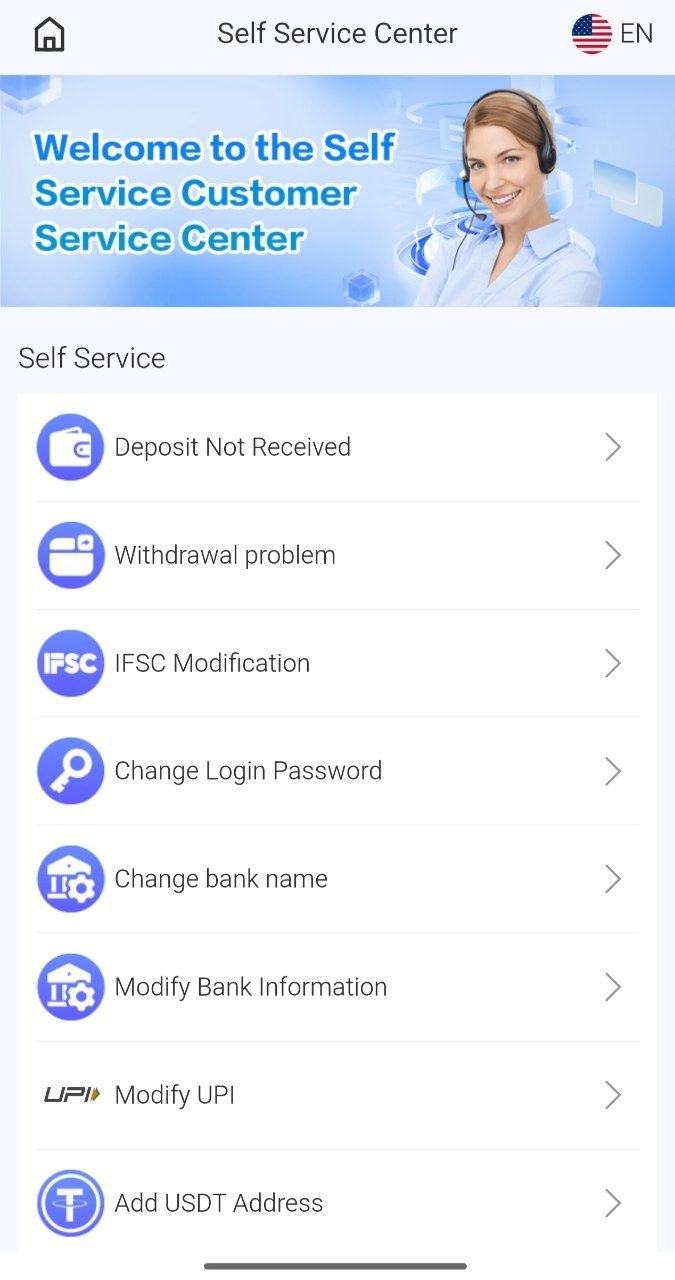
A supplied self-service screen shows a password option inside the app. That menu is not a form on this website. If money already moved, contact the payment provider and consider a report on the National Cyber Crime Reporting Portal (opens in a new tab) or helpline 1930.
Some login searches are not this game
Wording tied to a school, a government timing service, or an unrelated “600” login points at other products. Do not use a gaming page for those accounts, and do not use those accounts as a game wallet.